

节点变量(attributes / pull_keys / push_keys)
MASFactory 除了“沿边传消息(dict)”,还提供一套结点变量(attributes)机制,用来做跨节点/跨子图的共享状态与配置传递。
你可以把它理解成:每个节点都有一个“可见环境(attributes)”,并且可以选择从外层继承、以及把结果回写到外层。
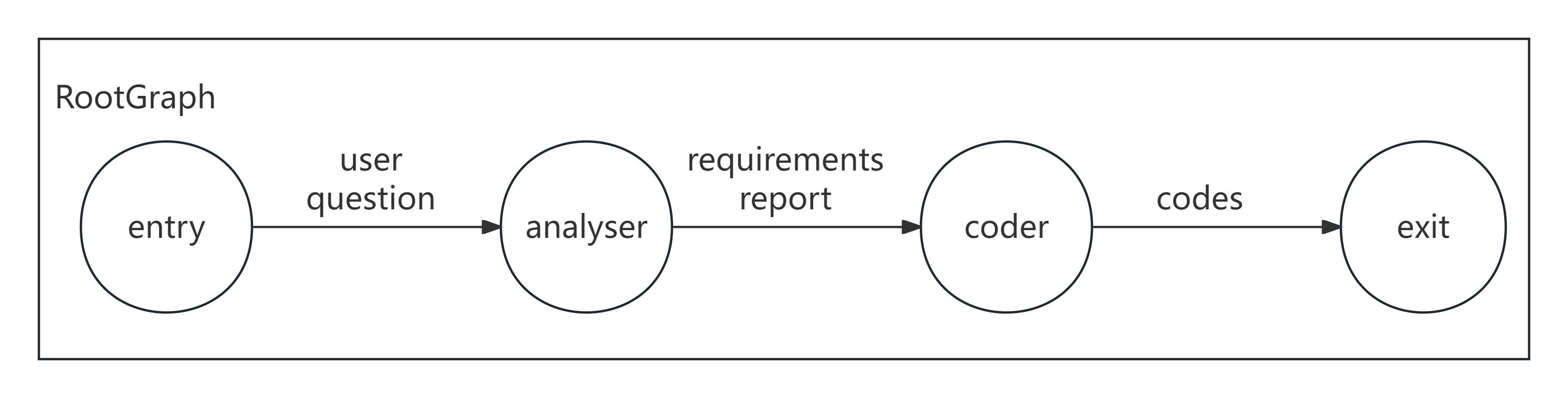
消息传递视角
- 水平(Edge keys):负责“业务字段”在节点间传递
- 垂直(attributes):负责“共享状态”在图上下文中读写(本页重点)
示意图
关键规则(务必先看)
attributes:节点(或图)的初始结点变量。pull_keys:从外层环境“继承哪些变量”None:继承外层全部(非 Agent 节点默认值){}:不继承任何变量{"k": "desc", ...}:只继承指定 key
push_keys:把哪些输出字段“写回到变量”{}:不回写{"k": "desc", ...}:只回写指定 key(推荐,最可控)
Agent 的默认行为不同
Agent 的 pull_keys/push_keys 默认是 {}(不继承也不回写)。如果你希望 Agent 使用 attributes,需要显式设置 pull_keys。
示例 1:用 attributes 传配置(离线可跑)
1A) 声明式(主推)
python
from masfactory import CustomNode, RootGraph


def checker(d: dict, attrs: dict) -> dict:
    threshold = int(attrs.get("threshold", 0))
    return {"passed": int(d["x"]) >= threshold}


g = RootGraph(
    name="attr_config_demo",
    attributes={"threshold": 10},
    nodes=[("check", CustomNode, checker)],
    edges=[("entry", "check", {"x": "输入数值"}), ("check", "exit", {"passed": "是否通过"})],
)

g.build()
out, attrs = g.invoke({"x": 12})
print(out)   # {'passed': True}
print(attrs) # 里边会包含 threshold(以及可能的执行过程写回字段)
1B) 命令式(备选)
python
from masfactory import CustomNode, RootGraph


def checker(d: dict, attrs: dict) -> dict:
    threshold = int(attrs.get("threshold", 0))
    return {"passed": int(d["x"]) >= threshold}


g = RootGraph(name="attr_config_demo", attributes={"threshold": 10})

check = g.create_node(
    CustomNode,
    name="check",
    forward=checker,
    pull_keys={"threshold": "阈值(配置项)"},
)

g.edge_from_entry(check, {"x": "输入数值"})
g.edge_to_exit(check, {"passed": "是否通过"})

g.build()
out, attrs = g.invoke({"x": 12})
print(out)   # {'passed': True}
print(attrs) # {'threshold': 10, ...}
示例 2:用 push_keys 把结果写回 attributes(离线可跑)
2A) 声明式(主推)
python
from masfactory import CustomNode, NodeTemplate, RootGraph


def inc(_d: dict, attrs: dict) -> dict:
    cur = int(attrs.get("counter", 0))
    return {"counter": cur + 1}

Inc = NodeTemplate(CustomNode, forward=inc, push_keys={"counter": "计数器"})

g = RootGraph(
    name="attr_writeback_demo",
    attributes={"counter": 0},
    nodes=[("inc", Inc)],
    edges=[
        ("entry", "inc", {}),  # 空 keys 表示不传入消息字段
        ("inc", "exit", {"counter": "最新计数"}),
    ],
)

g.build()
out1, attrs1 = g.invoke({})
out2, attrs2 = g.invoke({})
print(out1, attrs1["counter"])  # {'counter': 1} 1
print(out2, attrs2["counter"])  # {'counter': 2} 2
2B) 命令式(备选)
python
from masfactory import CustomNode, RootGraph


def inc(_d: dict, attrs: dict) -> dict:
    cur = int(attrs.get("counter", 0))
    return {"counter": cur + 1}


g = RootGraph(name="attr_writeback_demo", attributes={"counter": 0})

# 显式指定 push_keys,让“写回哪些字段”可预测
inc_node = g.create_node(CustomNode, name="inc", forward=inc, push_keys={"counter": "计数器"})
g.edge_from_entry(inc_node, {})  # 空 keys 表示不传入消息字段
g.edge_to_exit(inc_node, {"counter": "最新计数"})

g.build()
out1, attrs1 = g.invoke({})
out2, attrs2 = g.invoke({})
print(out1, attrs1["counter"])  # {'counter': 1} 1
print(out2, attrs2["counter"])  # {'counter': 2} 2
提示
push_keys 推荐用 “dict” 明确指定字段,这样写回行为最可控。