

Node Attributes (attributes / pull_keys / push_keys)
In addition to “passing messages along edges” (dict payloads), MASFactory provides attributes for shared state and configuration across nodes and subgraphs.
You can think of it as: each node runs with a visible environment (attributes), and can choose what to inherit from the outer scope and what to write back after execution.
Message passing perspective
- Horizontal (Edge keys): business fields move between nodes through
Edge - Vertical (attributes): shared state is read/written through the graph context (focus of this page)
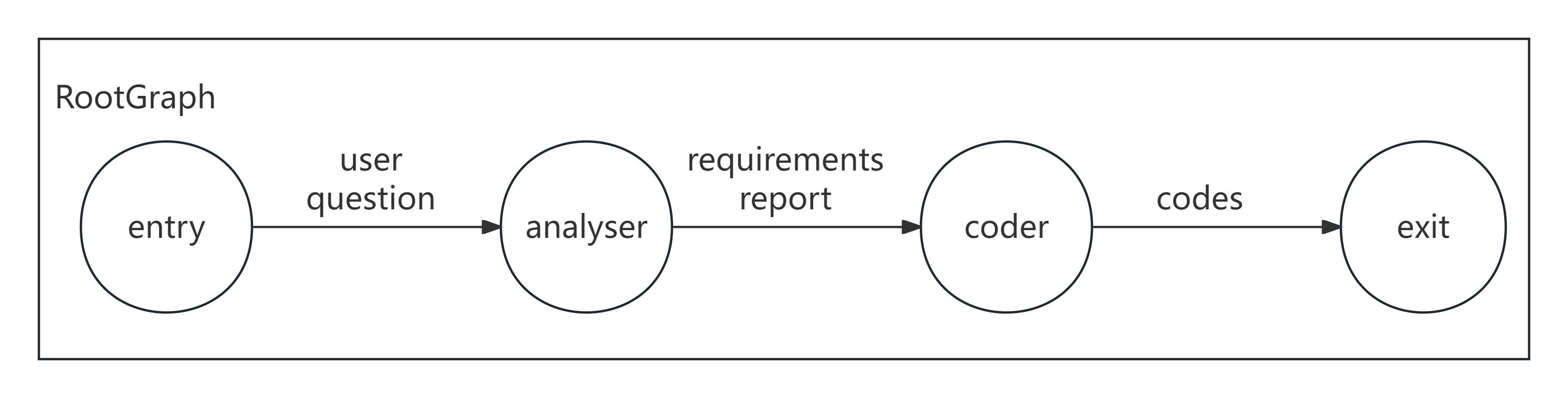
Diagram
Key rules (read first)
attributes: initial attributes for a node (or graph).pull_keys: which outer-scope attributes the node inherits.None: inherit everything from the outer scope (default for non-Agent nodes){}: inherit nothing{"k": "desc", ...}: inherit only selected keys
push_keys: which output fields are written back into the outer attributes.{}: write nothing back{"k": "desc", ...}: write back only selected keys (recommended; most controllable)
Agent defaults are different
Agent.pull_keys/push_keys defaults to {} (no inherit and no write-back). If you want an Agent to use attributes, set pull_keys explicitly.
Example 1: pass configuration via attributes (offline)
1A) Declarative
python
from masfactory import CustomNode, RootGraph


def checker(d: dict, attrs: dict) -> dict:
    threshold = int(attrs.get("threshold", 0))
    return {"passed": int(d["x"]) >= threshold}


g = RootGraph(
    name="attr_config_demo",
    attributes={"threshold": 10},
    nodes=[("check", CustomNode, checker)],
    edges=[("entry", "check", {"x": "input value"}), ("check", "exit", {"passed": "whether passed"})],
)

g.build()
out, attrs = g.invoke({"x": 12})
print(out)   # {'passed': True}
print(attrs) # contains threshold (and possibly other written-back fields)
1B) Imperative
python
from masfactory import CustomNode, RootGraph


def checker(d: dict, attrs: dict) -> dict:
    threshold = int(attrs.get("threshold", 0))
    return {"passed": int(d["x"]) >= threshold}


g = RootGraph(name="attr_config_demo", attributes={"threshold": 10})

check = g.create_node(
    CustomNode,
    name="check",
    forward=checker,
    pull_keys={"threshold": "threshold (config)"},
)

g.edge_from_entry(check, {"x": "input value"})
g.edge_to_exit(check, {"passed": "whether passed"})

g.build()
out, attrs = g.invoke({"x": 12})
print(out)   # {'passed': True}
print(attrs) # {'threshold': 10, ...}
Example 2: write results back into attributes with push_keys (offline)
2A) Declarative
python
from masfactory import CustomNode, NodeTemplate, RootGraph


def inc(_d: dict, attrs: dict) -> dict:
    cur = int(attrs.get("counter", 0))
    return {"counter": cur + 1}


Inc = NodeTemplate(CustomNode, forward=inc, push_keys={"counter": "counter"})

g = RootGraph(
    name="attr_writeback_demo",
    attributes={"counter": 0},
    nodes=[("inc", Inc)],
    edges=[
        ("entry", "inc", {}),  # empty keys means “no input fields from edges”
        ("inc", "exit", {"counter": "latest counter"}),
    ],
)

g.build()
out1, attrs1 = g.invoke({})
out2, attrs2 = g.invoke({})
print(out1, attrs1["counter"])  # {'counter': 1} 1
print(out2, attrs2["counter"])  # {'counter': 2} 2
2B) Imperative
python
from masfactory import CustomNode, RootGraph


def inc(_d: dict, attrs: dict) -> dict:
    cur = int(attrs.get("counter", 0))
    return {"counter": cur + 1}


g = RootGraph(name="attr_writeback_demo", attributes={"counter": 0})

# Explicit push_keys makes write-back behavior predictable.
inc_node = g.create_node(CustomNode, name="inc", forward=inc, push_keys={"counter": "counter"})
g.edge_from_entry(inc_node, {})  # empty keys means “no input fields from edges”
g.edge_to_exit(inc_node, {"counter": "latest counter"})

g.build()
out1, attrs1 = g.invoke({})
out2, attrs2 = g.invoke({})
print(out1, attrs1["counter"])  # {'counter': 1} 1
print(out2, attrs2["counter"])  # {'counter': 2} 2
Tip
Use a dict for push_keys to explicitly control which fields are written back.