

VibeGraph ChatDev Lite
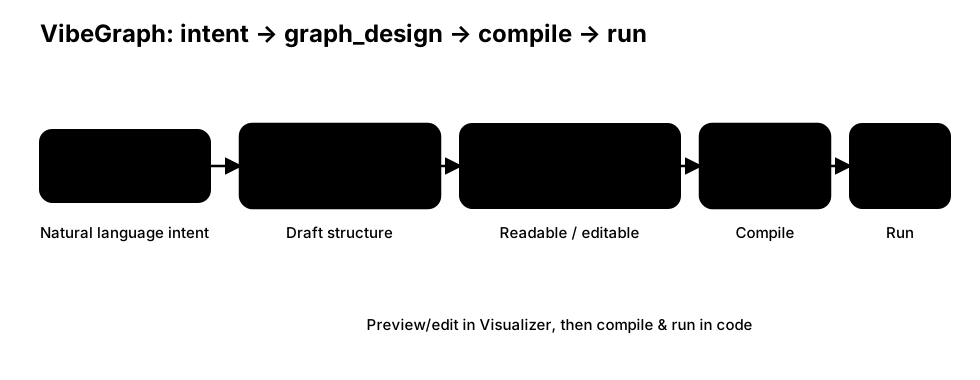
This tutorial demonstrates how to use VibeGraph to translate natural-language intent into a graph_design.json draft, then compile it into a runnable workflow.
Core flow:
- Build: run a build workflow to generate
graph_design.json(cacheable) - Review / Edit: quickly inspect and optionally edit the design in a visual preview
- Compile + Run: compile the
graph_designinto an executable graph and run with runtime observability
Step 1 — Generate and cache graph_design
The example below writes a cache file to:
assets/cache/chatdev_graph_design.json
On the first run, it will generate the design. If the cache file already exists, it will read from cache (useful when you want to edit the design manually and recompile/run).
python
import os
from pathlib import Path

from masfactory import RootGraph, VibeGraph, NodeTemplate, OpenAIModel

# Natural-language instructions for the target ChatDev workflow.
build_instructions = """
You need to design a MASFactory workflow for code development, and output a graph_design.json draft.

1) Top-level graph (linear control flow)
ENTRY -> demand_analysis_phase -> language_choose_phase -> coding_phase -> test_loop -> EXIT

2) Each phase is a Loop with two Action nodes (Instructor + Assistant).
Inside a phase:
CONTROLLER -> assistant_agent
assistant_agent -> instructor_agent
instructor_agent -> CONTROLLER

3) Phases (roles, IO fields, tools)
- demand_analysis_phase (max_iterations=1)
  - roles: CEO (instructor) + CPO (assistant)
  - input_fields: task, description, chatdev_prompt
  - output_fields (assistant writes back): modality

- language_choose_phase (max_iterations=1)
  - roles: CEO (instructor) + CTO (assistant)
  - input_fields: task, description, modality, ideas, chatdev_prompt
  - output_fields (assistant writes back): language

- coding_phase (max_iterations=1)
  - roles: CTO (instructor) + Programmer (assistant)
  - input_fields: task, description, modality, ideas, language, gui, unimplemented_file, chatdev_prompt
  - output_fields (assistant writes back): codes, unimplemented_file
  - tools: codes_check_and_processing_tool, check_code_completeness_tool

4) test_loop (Loop, max_iterations=3)
CONTROLLER -> test_error_summary_phase -> test_modification_phase -> CONTROLLER
Terminate if:
- error_summary contains 'No errors found' (case-insensitive), OR
- exist_bugs_flag is False, OR
- modification_conclusion == 'Finished!'.

5) Child loops
- test_error_summary_phase (max_iterations=1): Test Engineer (instructor) + Programmer (assistant)
  - output_fields: error_summary, test_reports, exist_bugs_flag
  - tools: run_tests_tool
- test_modification_phase (max_iterations=1): Test Engineer (instructor) + Programmer (assistant)
  - output_fields: codes, modification_conclusion
  - tools: codes_check_and_processing_tool

6) Output requirement
Return ONLY valid JSON following the graph_design standard in graph_design/.
Use ENTRY/EXIT as graph ports (case-insensitive).
Use CONTROLLER/TERMINATE for loop internal endpoints (case-insensitive).
"""

build_model = OpenAIModel(
    # For build prompts, use a stronger model to get more stable structured designs (e.g., gpt-5.2).
    model_name=os.getenv("VIBE_BUILD_MODEL", "gpt-5.2"),
    api_key=os.getenv("OPENAI_API_KEY"),
    base_url=os.getenv("BASE_URL"),
)

invoke_model = OpenAIModel(
    model_name=os.getenv("MODEL", "gpt-4o-mini"),
    api_key=os.getenv("OPENAI_API_KEY"),
    base_url=os.getenv("BASE_URL"),
)

ChatDev = NodeTemplate(
    VibeGraph,
    invoke_model=invoke_model,
    build_model=build_model,
    build_instructions=build_instructions,
    build_cache_path=Path("assets/cache/chatdev_graph_design.json"),
)

g = RootGraph(
    name="chatdev_vibegraph",
    attributes={
        "task": "Develop a basic Gomoku game.",
        "modality": "",
        "language": "",
        "codes": "",
        "unimplemented_file": "",
        "exist_bugs_flag": True,
        "manual": "",
    },
    nodes=[("chatdev", ChatDev)],
    edges=[
        ("ENTRY", "chatdev", {}),
        ("chatdev", "EXIT", {}),
    ],
)

g.build()
g.invoke({"task": "build a simple calculator"})
Step 2 — Review and edit (optional)
You can open the cache file for inspection/editing:
assets/cache/chatdev_graph_design.json
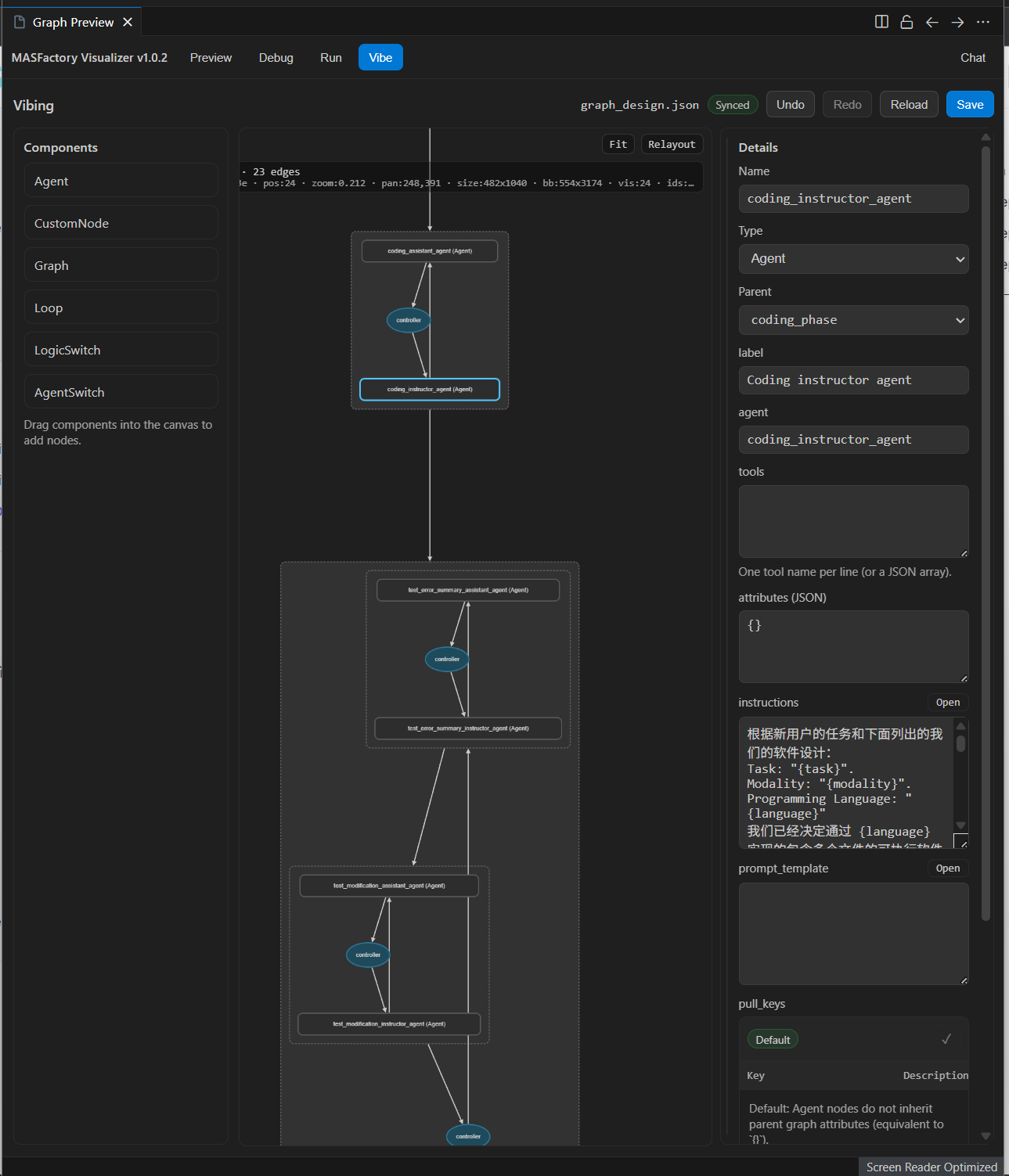
If you use MASFactory Visualizer, you can preview/edit the structure in the Vibe tab, then return to code and rerun for compilation/execution.
Step 3 — Compile and run again
When build_cache_path exists, VibeGraph reads the cache and compiles/runs directly.
To regenerate from intent, delete the cache file and rerun.
Note
- This chapter is designed for quickly learning MASFactory’s VibeGraphing paradigm, so it omits some implementation details of ChatDev. For complete reproductions, refer to: ChatDev-VibeGraph or VibeGraph-Demo-ChatDev.