

VibeGraph 构建 ChatDev Lite
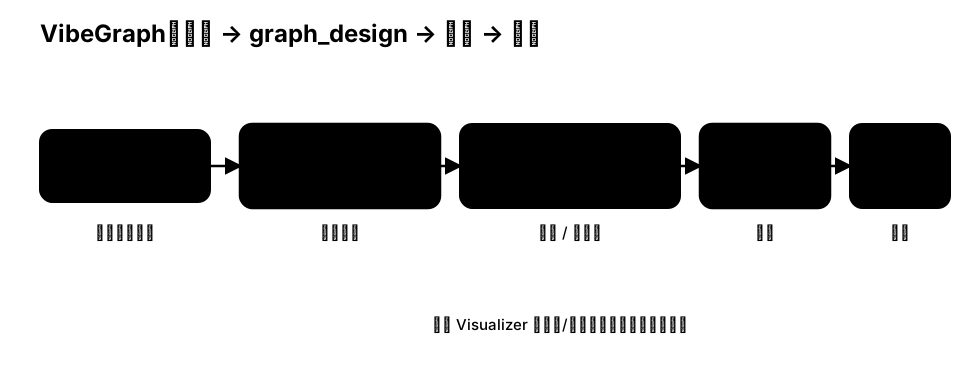
本教程演示如何用 VibeGraph 把“自然语言意图”转化为 graph_design.json 设计,并编译为可运行的工作流。
核心思路:
- Build:用一个 build workflow 生成
graph_design.json(可缓存)。 - Review / Edit:在可视化预览中快速检查并手工调整结构(可选)。
- Compile + Run:把
graph_design编译为图结构,在运行时执行并观察。
Step 1 生成并缓存 graph_design
下面例子会在 assets/cache/chatdev_graph_design.json 写入缓存。
第一次运行会生成;之后如果文件已存在,会优先从缓存读取(可用于“手工改结构后再编译运行”)。
python
import os
from pathlib import Path

from masfactory import RootGraph, VibeGraph, NodeTemplate, OpenAIModel
# 使用自然语言编写要实现的ChatDev描述
build_instructions = """
You need to design a MASFactory workflow for code development, and output a graph_design.json draft.

1) Top-level graph (linear control flow)
ENTRY -> demand_analysis_phase -> language_choose_phase -> coding_phase -> test_loop -> EXIT

2) Each phase is a Loop with two Action nodes (Instructor + Assistant).
Inside a phase:
CONTROLLER -> assistant_agent
assistant_agent -> instructor_agent
instructor_agent -> CONTROLLER

3) Phases (roles, IO fields, tools)
- demand_analysis_phase (max_iterations=1)
  - roles: CEO (instructor) + CPO (assistant)
  - input_fields: task, description, chatdev_prompt
  - output_fields (assistant writes back): modality

- language_choose_phase (max_iterations=1)
  - roles: CEO (instructor) + CTO (assistant)
  - input_fields: task, description, modality, ideas, chatdev_prompt
  - output_fields (assistant writes back): language

- coding_phase (max_iterations=1)
  - roles: CTO (instructor) + Programmer (assistant)
  - input_fields: task, description, modality, ideas, language, gui, unimplemented_file, chatdev_prompt
  - output_fields (assistant writes back): codes, unimplemented_file
  - tools: codes_check_and_processing_tool, check_code_completeness_tool

4) test_loop (Loop, max_iterations=3)
CONTROLLER -> test_error_summary_phase -> test_modification_phase -> CONTROLLER
Terminate if:
- error_summary contains 'No errors found' (case-insensitive), OR
- exist_bugs_flag is False, OR
- modification_conclusion == 'Finished!'.

5) Child loops
- test_error_summary_phase (max_iterations=1): Test Engineer (instructor) + Programmer (assistant)
  - output_fields: error_summary, test_reports, exist_bugs_flag
  - tools: run_tests_tool
- test_modification_phase (max_iterations=1): Test Engineer (instructor) + Programmer (assistant)
  - output_fields: codes, modification_conclusion
  - tools: codes_check_and_processing_tool

6) Output requirement
Return ONLY valid JSON following the graph_design standard in graph_design/.
Use ENTRY/EXIT as graph ports (case-insensitive).
Use CONTROLLER/TERMINATE for loop internal endpoints (case-insensitive).
"""
build_model = OpenAIModel(
    # 建议为 build 选择能力更强的模型,以获得更稳定的结构化设计输出(例如 gpt-5.2)
    model_name=os.getenv("VIBE_BUILD_MODEL", "gpt-5.2"),
    api_key=os.getenv("OPENAI_API_KEY"),
    base_url=os.getenv("BASE_URL"),
)

invoke_model = OpenAIModel(
    model_name=os.getenv("MODEL", "gpt-4o-mini"),
    api_key=os.getenv("OPENAI_API_KEY"),
    base_url=os.getenv("BASE_URL"),
)


ChatDev = NodeTemplate(
    VibeGraph,
    invoke_model=invoke_model,
    build_model=build_model,
    build_instructions=build_instructions,
    build_cache_path=Path("assets/cache/chatdev_graph_design.json"),
)

g = RootGraph(
    name="chatdev_vibegraph",
    attributes={
        "task": "Develop a basic Gomoku game.",
        "modality": "",
        "language": "",
        "codes": "",
        "unimplemented_file": "",
        "exist_bugs_flag": True,
        "manual": "",
    },
    nodes=[("chatdev", ChatDev)],
    edges=[
        ("ENTRY", "chatdev", {}),
        ("chatdev", "EXIT", {}),
    ],
)

g.build()
g.invoke({"task":"build a simple calculator"})
Step 2 检查与编辑(可选)
可以直接打开缓存文件进行检查 / 编辑:
assets/cache/chatdev_graph_design.json
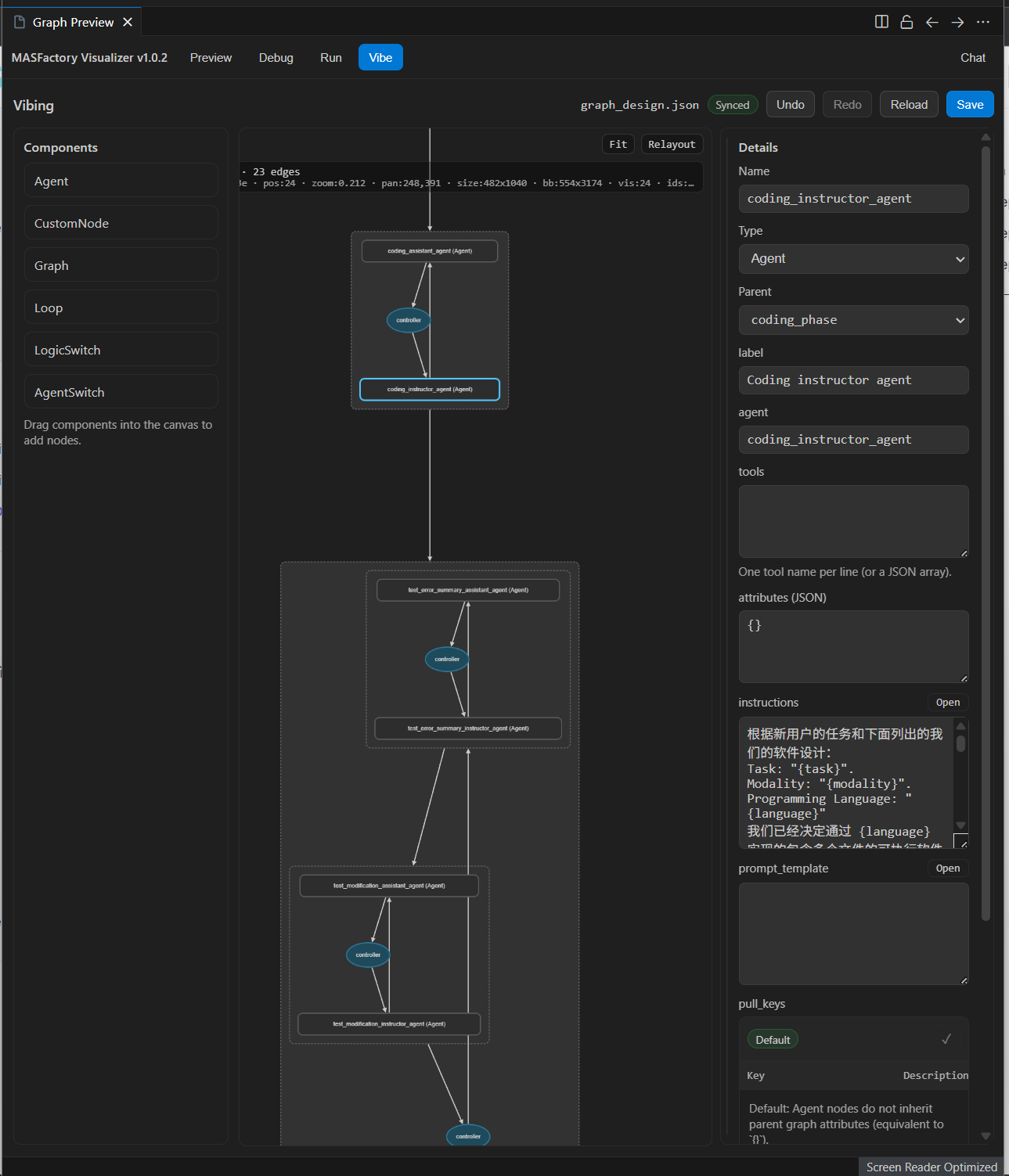
如果你使用 MASFactory Visualizer,可以在 Vibe 视图预览/编辑 graph_design.json 的结构,再回到代码运行即可生效。
Step 3 重新编译运行
当 build_cache_path 已存在时,VibeGraph 会直接读取缓存并编译运行。
如果你希望“重新从意图生成”,删除缓存文件后再运行即可。
说明
- 本章旨在方便用户快速学习MASFactory的VibeGraphing开发范式,因此省略了
ChatDev的部分实现细节,如果想了解完整的实现细节,可以参考ChatDev-VibeGraph 或 VibeGraph-Demo-ChatDev。